Showing posts with label Apps. Show all posts

Monday, October 19, 2015

Digital Reports with an App

Hi, teacher friends.  It's Peggy Means from Primary Flourish to share with you a powerful little app that will motivate your students to research and write a report about almost anything!
Sonic Pics is a digital story telling app.  
Students add their pictures, 
add text
narrate
Tada!  They have made a digital report!

I introduce the project as a movie, and explain that movie makers always start with a storyboard.
Now the storyboard is really the rough draft and it is the key to guide their research and their writing.

The first project my second graders did with this app was a 'documentary' about where they live.
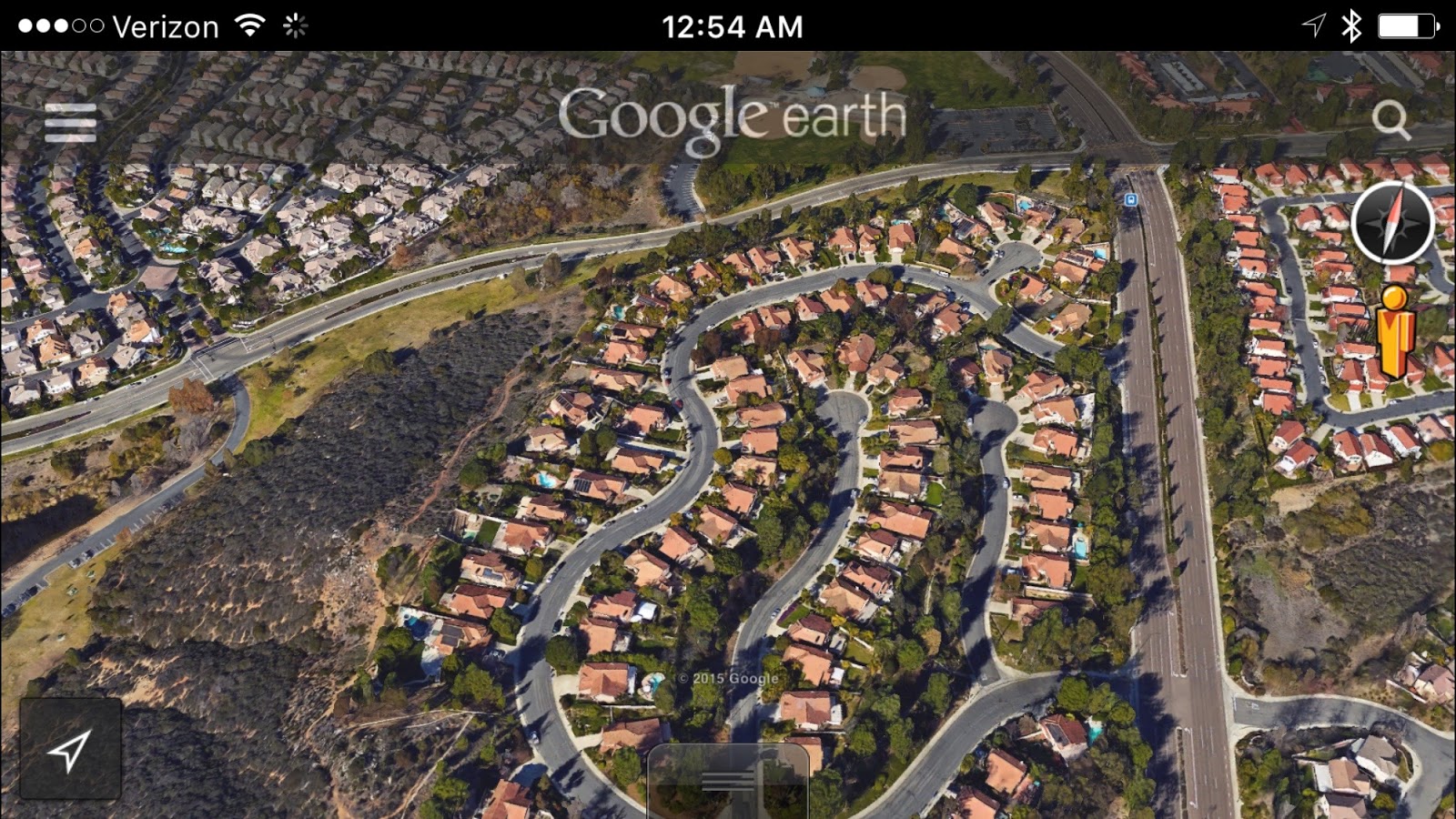
Students used the Google Earth app to research the names of their 
continent, county, state, city, street, and address.  
Then they wrote out the sentence that they would narrate when they were ready to make the 'movie'.

After the storyboard is complete it is time to add add the pictures.  We went back to Google earth and took screenshots of each location.  
Continent
Country
State
Town
Street
When all the pictures have been added, students are ready to add the narration to their 'documentary'.  This is a wonderful opportunity to review reading fluency.

Sonic Pics is very forgiving and allows one to move pictures around, switch pictures, and re-record as many times as students want.  It can then be shared in a variety of ways; mail, photos, YouTube, and even Google Drive.

I am sure that once you and your students start playing with this app, you will think of dozens of ways to use it in your curriculum.

Here are some additional 'Story Boards' we have used for other topics of study:

I especially love this one, because it provides the 
framework for a well-constructed paragraph. 


Click on the picture to see Sonic Pics
in the App Store.


I would love to hear ways you are planning on using Sonic Pics with your students!
Primary Flourish

Tuesday, July 21, 2015

Teach NGSS with Technology

Hi Sweet Friends, it's Peggy Means from Primary Flourish and 
I hope you all are having a refreshing summer.  
I know most teacher brains don't really turn off in the summer.  
(That's why you're reading this blog, right?)
So on this Techy Tuesday, I want to tell you about an app 
that will bring life into your NGSS 
(Next Generation Science Standards) lessons next year!
Apps in Education
NGSS Biological Evolution Unity & Diversity 2LS41:
Make observations of plants and animals to 
compare the diversity of life in different habitats.

I love.love.LOVE. Explore's live cams!
What better way to 'observe plants and animals in different habitats'.
You can peek in on dozens of wild animals in their natural environments!
I really encourage you to pop over there and enjoy!
>>Just click on the picture below to start exploring!<<
You can access live cams either with your computer, or with an app called
Livestream.  It's FREE! (I love a good free app, don't you?)

Students use this app to observe different animals in their different environment, and then compare and contrast those environments.
Each student keeps an observation journal on at least 2 animals that live in different habitats.


Here are the easy steps to start using technology to teach NGSS life science standards:
  1. Get Livestream App from the App Store.
  2. Go to Explore.org and choose at least 2 animals you want your class to observe.
  3. Download my free Observation Journal.
  4. Do the Happy Dance because you are set to teach NGSS to your class!
I hope you and your students will 'flourish' in exploring science together this year!

Tuesday, May 26, 2015

ChatterPix


This is Francheryl from Primary Essentials.  I'm dropping in to share an awesome app that students L.O.V.E...ChatterPix Kids!  It's a FREE app available on the iTunes market.
ChatterPix Kids
It is so simple to use.  Actually my personal children (9 and 11 years old) taught me how to use this app.  Here's a YouTube tutorial for this app.


There are so many ways to use this in your classroom.  You can have students retell a story, explain concepts, recite addition or subtraction facts, reader's response, skip counting, and so many more ideas.  This is a great way to incorporate technology into your everyday lessons.

As we approach the end of the school year (or for you lucky ones that are already finished), I hope you can find a way to incorporate this fun app into your classroom this school year or next.

That's all I got!  I'll see you around the blogging world!


Francheryl
Primary Essentials

Tuesday, March 31, 2015

Meet Stephanie from The Learning Chambers

Hi y'all!  I'm beyond thrilled to get to introduce myself today.  My name is Stephanie Chambers and I blog over at The Learning Chambers.  My super talented sister helped me come up with my blog name!

I've been teaching for almost nine years and this is my second year teaching second grade.  I absolutely LOVE it!  I totally don't want to teach any other grade level for awhile!

I teach in a Two-Way Dual Language classroom and I teach ELA and Math in English.  I'm also the e-trainer for my campus and I was super excited to share on this Techy Tuesday.  This is the perfect day to share my first post!

Today I wanted to share my top three favorite apps that I use with my second graders to help them create presentations.


These three apps are super simple to introduce to your kids and can easily make any presentation pop!  My students will be creating bird presentations in the next few weeks and I know that these 3 apps will help a lot!  Here they are...


My second graders absolutely LOVE Haiku Deck.  The kids can create slide presentations on just about any topic.  The app lets you add your own pictures or you can search for pictures in the app.  It also has different themes that they can choose from.  Really great and simple for second graders!


Another presentation app that's perfect for second graders is Tellagami.  It's an app that allows your students to create a short 30 second voice message using an animated character.  This voice message is called a gami.  The best thing is that the app is available for both Apple and Android devices.


The Tellagami Edu is much better to download because it doesn't have any in app purchases.  It's so worth the $4.99 price tag!

Since the clip is a short 30 seconds, it has taught my students that they need to write a script and rehearse what they are going to say before they hit record.  It's great for modeling the importance of revising and editing before the final draft.

The thing that I LOVE most about Tellagami is that it is SO easy to use!

First, you choose your character.  They have two options either a boy or a girl but it gives you the option to change hair color, eye color, and skin color.  My kids love that you can change the character's expressions.  Here are the ones that they pick the most!


It's also super easy to change the background image.  My kids like clicking on the camera and taking a picture of a spot in our classroom.  That way it looks like their character is standing in our classroom!


Lastly, I have my kiddos record their message.  Remember...I have them edit, revise, and rehearse it before they hit the record button.  Recording is super duper simple!  Just click on the back button, click on the green message bubble, and then click on the microphone.  When they are ready to record, they just hit the green record button and read out their message that they rehearsed.

When they finish their gami, they just click on the share button in the bottom left corner and then click the save button.  It saves their gami in your camera roll.  See, I told you it was super easy to use!!!


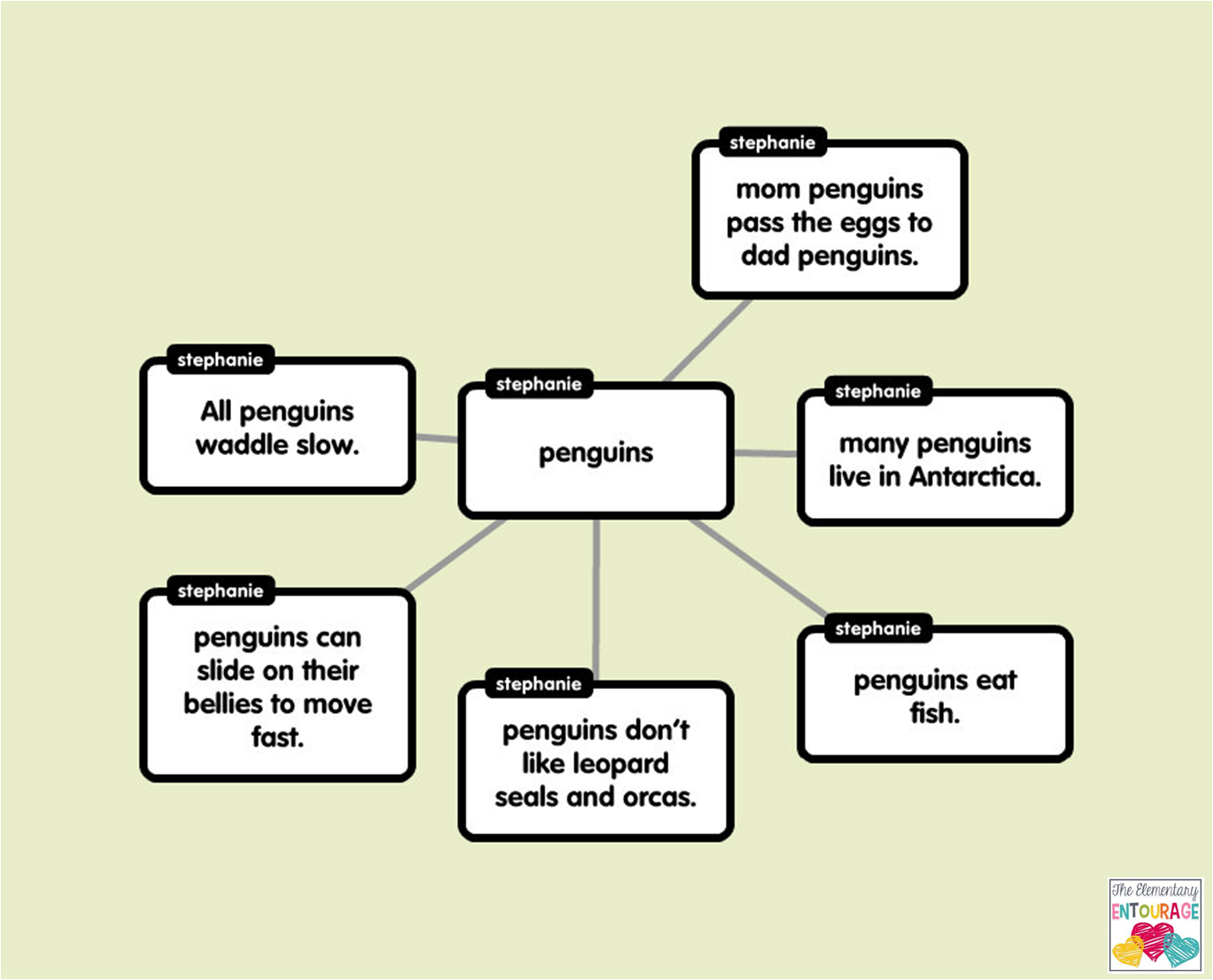
I still really love to use popplet with my kiddos.  They can easily put all of their facts in a web and add pictures as well.  You can export their finished popplets as a jpeg image or a pdf.  I love that!

http://popplet.com/

I hope you enjoyed reading about my top 3 presentation apps to use in second grade.  Do you use any of these in your classroom?  If so, how do you use them?  I would love to hear from you!